Used by 8,000+ creators
Instagram Post Video Mockup Generator
Type a username, a caption and the likes, and an Instagram-style post slams onto the screen. Plus comment threads and clean social post cards, free 1080p MP4.
Free, no sign-up
By Sumit DeyUpdated
What is the Instagram Post Mockup?
An Instagram post mockup shows a social post inside a video without a screenshot. You type every detail, so the post looks sharp and contains exactly what you want, with no stray notifications or real usernames.
How it works
The post card slams in, holds while you talk about it, then clears. You set the username, verified tick, location, caption, likes, comment count and time, and choose a light or dark card. Two more styles cover comments and plain posts.
Made for
- Reacting to a post in commentary videos
- Showing client work and social proof
- Social media marketing case studies
- Explaining a trend or a viral post
- Agency pitches and creator media kits
Instagram Post Mockup in three steps
Step 01
Pick a post, comments or a clean card
Instagram post for feed content, a comment thread for reactions, a clean card for a quote-style post with no platform look.
Step 02
Type every detail
Username, caption, likes, comments, time and theme. Everything on the card comes from what you type.
Step 03
Export the MP4
Pick 9:16, 16:9 or 1:1 and download a 1080p MP4 with no sign-up and no watermark.
Three social post styles
 Open in the editor
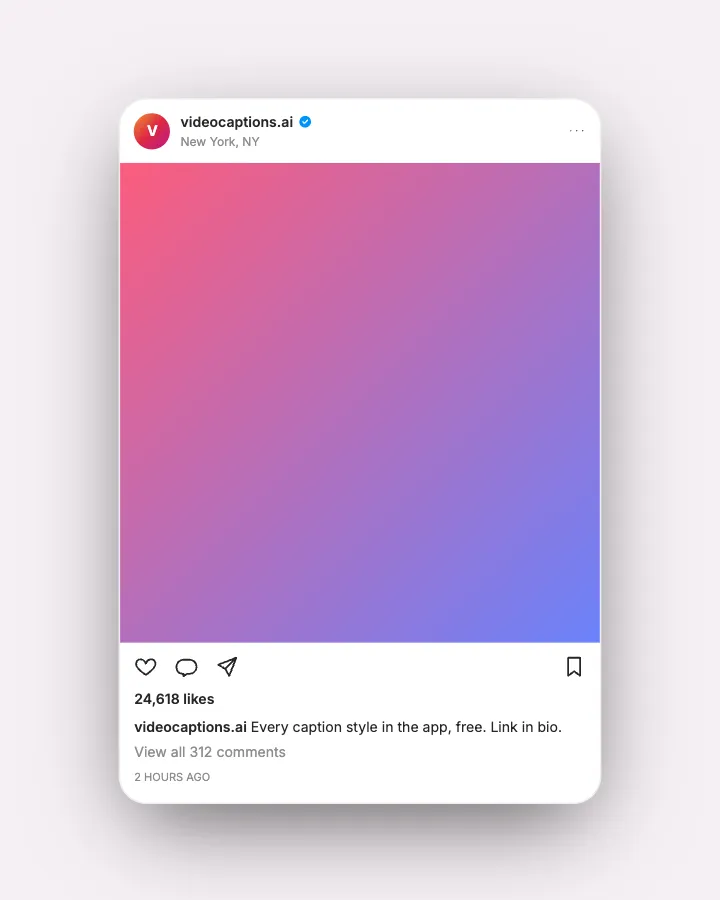
Instagram post
A feed post that slams in with a username, verified tick, caption, likes and comment count.
 Open in the editor
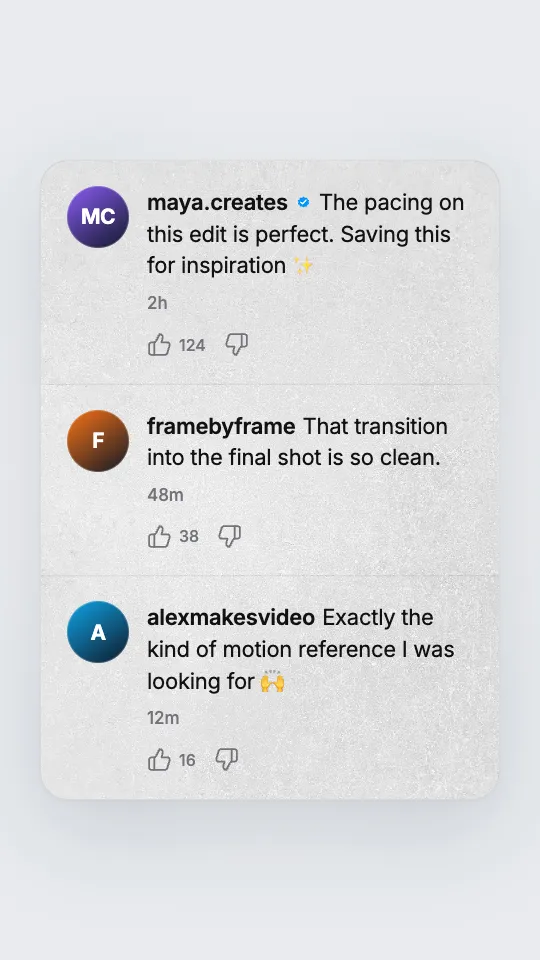
Comment thread
Instagram, Reddit or YouTube style comments that animate in one by one, each with its own likes.
 Open in the editor
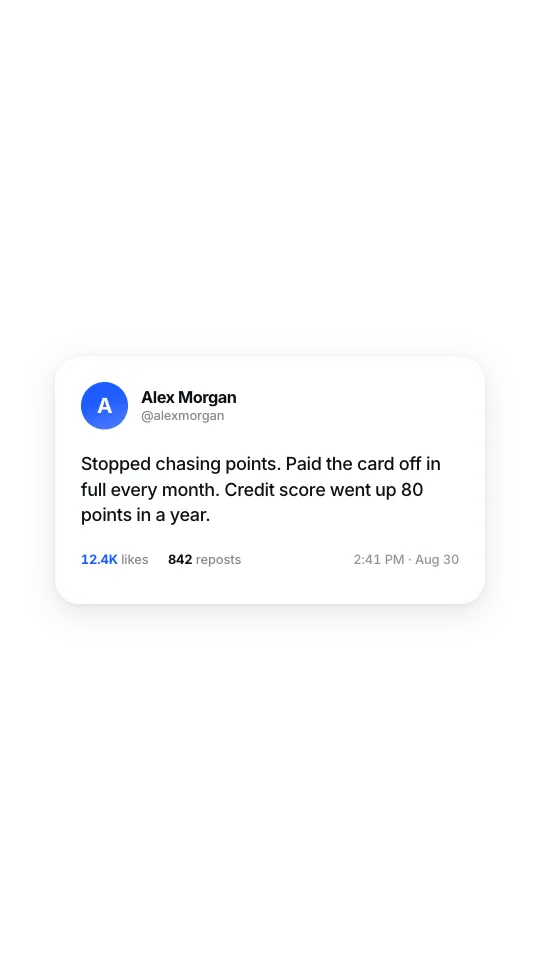
Clean social post
A white card with no platform chrome: avatar, name, text and like counts that tick up.
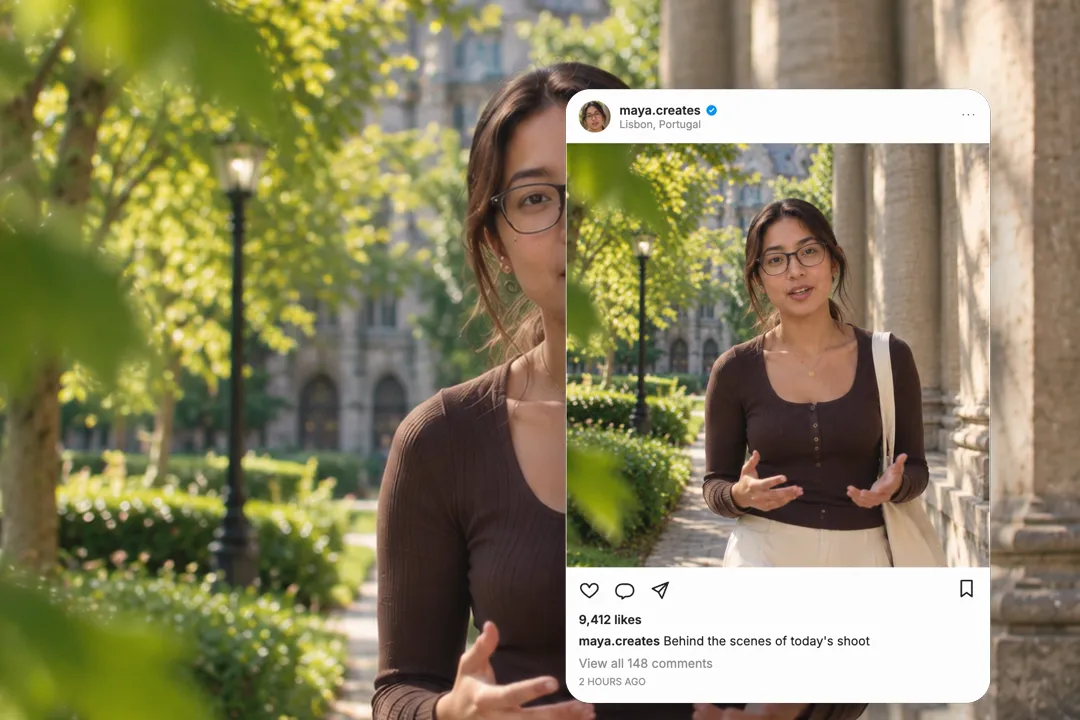
Mockup, not screenshot: why it matters for client work
A screenshot shows a real phone at a real moment, with everything that comes with it. A mockup shows only what you typed.
- 1
No private details
Screenshots leak battery icons, other apps and real usernames. A mockup contains only the fields you filled in.
- 2
Sharp at video size
Phone screenshots blur when scaled up for a 1080p frame. A rendered post keeps its text crisp.
- 3
Edit it any time
Change the caption or the like count and export again, instead of hunting for a new screenshot.
- 4
Consistent across a series
Every mockup shares the same layout, so posts shown across several episodes look like one designed system.
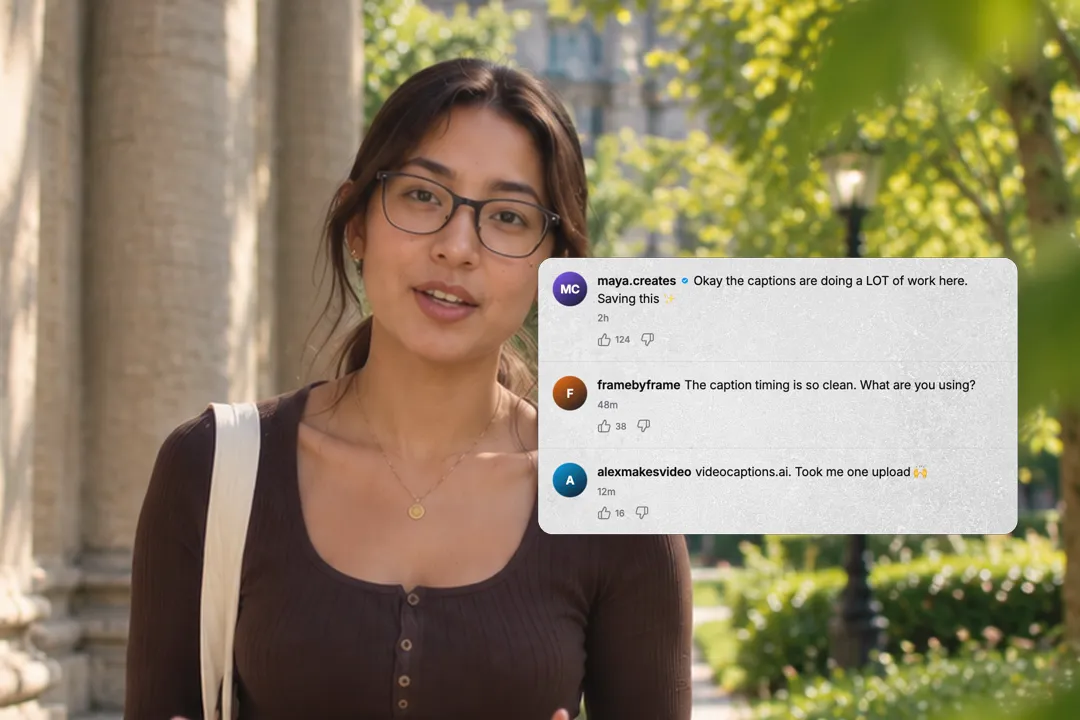
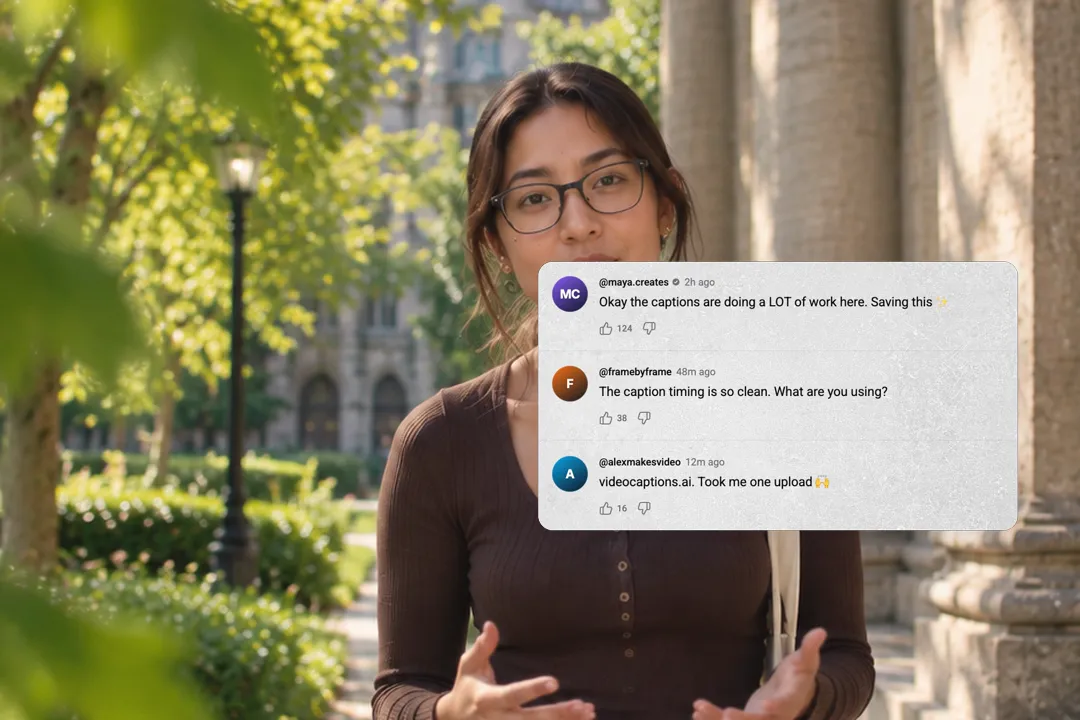
Comment threads for reaction videos
Sometimes the comments are the story. The comment thread style turns them into a moment of their own.
- 1
Three platforms in one
Switch the thread between Instagram, Reddit and YouTube styles to match where the conversation happened.
- 2
Comments land one by one
Each comment slides in on its own, so you can react to them in order instead of reading a wall of text.
- 3
Ask a question, show answers
Pose a question in your video, then show a thread of replies. It works as social proof and as a hook.
- 4
Use your real comments
Paste comments your audience actually left, with permission, for social proof that feels earned rather than invented.
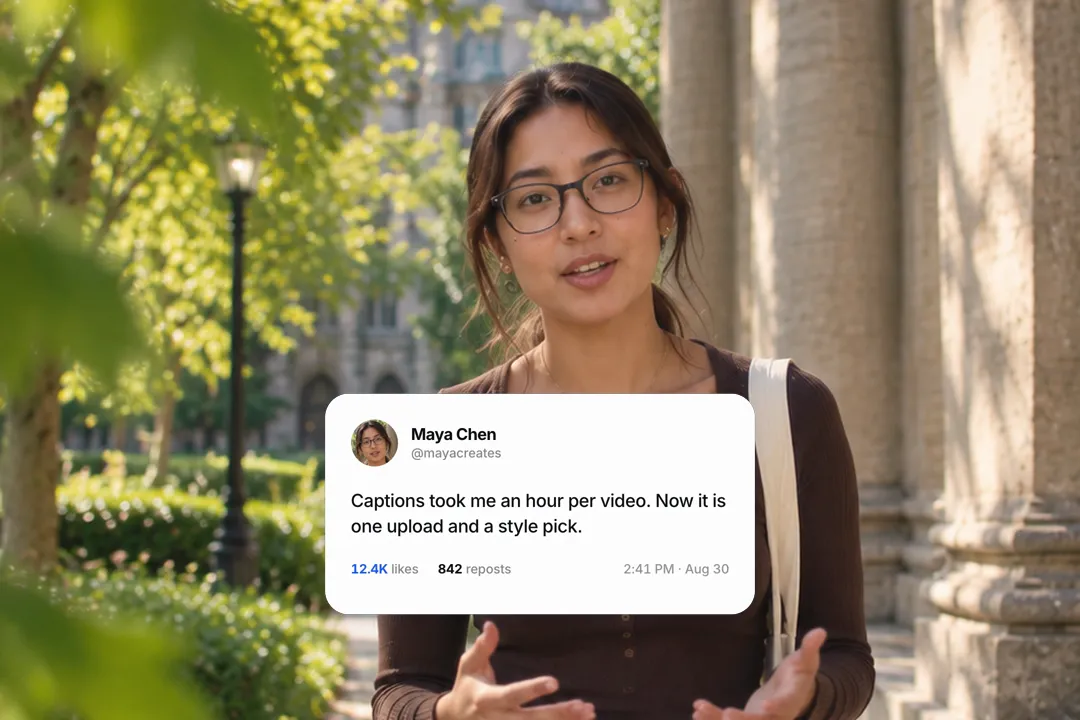
A clean post card when the platform does not matter
Not every post needs to look like a specific app. The clean card keeps the content and drops the branding.
- 1
Quotes and testimonials
A customer's words on a white card with their name and avatar reads as a testimonial without naming any platform.
- 2
Counts that tick up
Likes and reposts count up as the card lands, which makes a popular post feel like it is happening live.
- 3
Safe for brand work
Without platform logos, the card can appear in ads and client videos where platform branding is not allowed.
- 4
Fits any platform's story
Because it shows no app, the same card works whether the post came from a social network, a forum or an email.
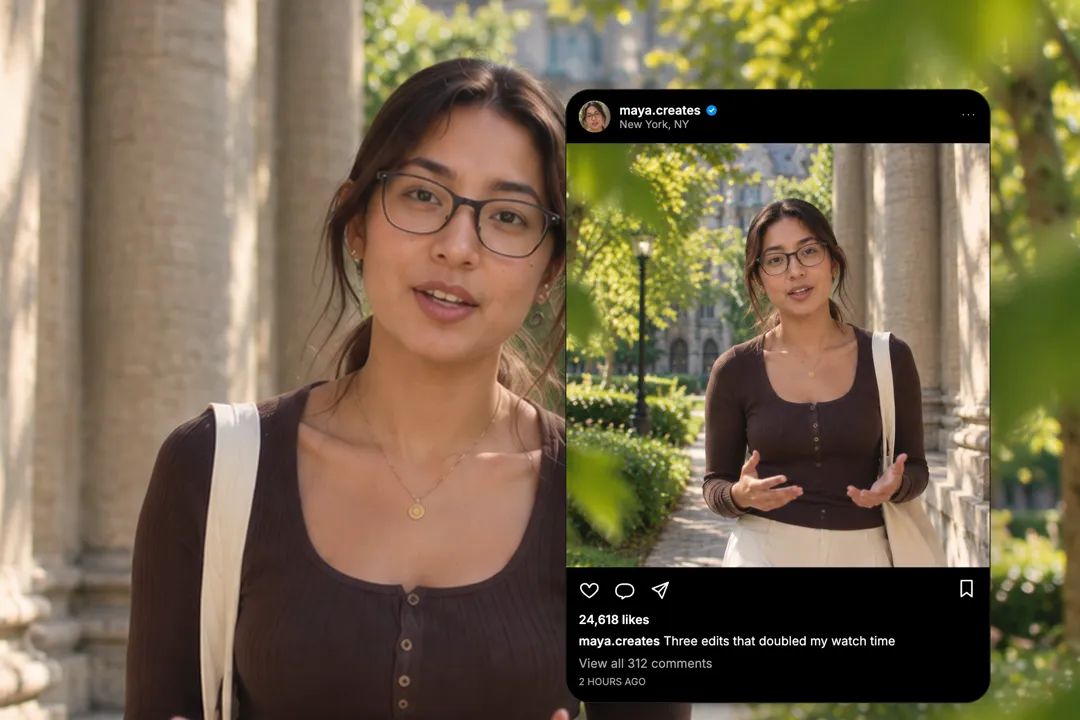
Making a post mockup believable
A mockup only works when viewers accept it at a glance. Small details decide that.
- 1
Use realistic numbers
24,618 likes reads as real; 25,000 reads as invented. Uneven counts and ordinary times sell the post.
- 2
A caption people would write
Short, casual captions with a line break or an emoji look native. Marketing copy looks like an advert.
- 3
Match the theme to your video
Use the dark card over night or moody footage and the light card over bright shots, so it never looks pasted on.
- 4
A real-looking username
Lowercase handles with a dot or underscore look native. Names in title case or with spaces give the mockup away.
Best Platforms for Instagram Post Mockup
- 1
TikTok
Commentary creators react to posts constantly. A rendered post reads cleaner than a blurry screenshot and keeps private details out of frame.
- 2
YouTube
Explainers about trends and creators need to show posts. A mockup stays sharp in 1080p and can be timed to your voiceover.
- 3
LinkedIn
Agencies and marketers show campaign posts as results. A clean mockup looks like a case study rather than a phone screenshot.
Instagram Post Mockup, answered
Is the Instagram post mockup generator free?
Yes. It runs in your browser and exports a 1080p MP4 with no sign-up and no watermark. Change any detail and export a new version whenever you need one. There is no account to create.
Can I add my own image to the post?
Yes. The post card takes an image link and an avatar link, so the post can show your real photo and profile picture instead of a placeholder. Use square images for the feed look.
Can I make YouTube or Reddit comments too?
Yes. The comment thread style switches between Instagram, Reddit and YouTube layouts, with usernames, comments and likes typed by you. Each comment animates in on its own, so you can react to them one at a time.
Is it okay to show Instagram-style posts in my video?
Creators show posts constantly in commentary and education. Avoid making a mockup that impersonates a real account or puts words in a real person's mouth. Credit the original creator when you show their work.
Can I change the likes and comment counts?
Yes. Likes, comment count and time ago are text fields, so you can match a real post exactly or set believable numbers for an example. Uneven numbers look more natural than round ones.
Does it work in vertical video?
Yes. Export in 9:16 for TikTok, Reels and Shorts, and set the card width so the post sits comfortably inside the frame edges. The post then stays clear of the app buttons.
More free motion elements
Caption styles, platforms and tools
From the blog
How Video Captions Increase Watch Time by 40% (2026 Data)
The data is clear: videos with captions get more views, higher watch time, and better algorithmic reach. Here is what the research shows, why it works, and how animated captions outperform static ones.
Animated Captions for Faceless Video: Styles That Hold Attention
On a faceless video the captions are not a subtitle track. They are the performance, the emphasis, and the only brand asset that appears in every single frame. Here is how to choose and apply them.
Faceless Reels and TikToks: A Format Guide That Actually Names the Caption Style
Short-form is where faceless content is won or lost, and it is also where the safe zones, the mute default, and the three-second judgement are least forgiving. Here is the format-by-format breakdown.
Create a Free Instagram Post Mockup Motion Element
Free, no sign-up